
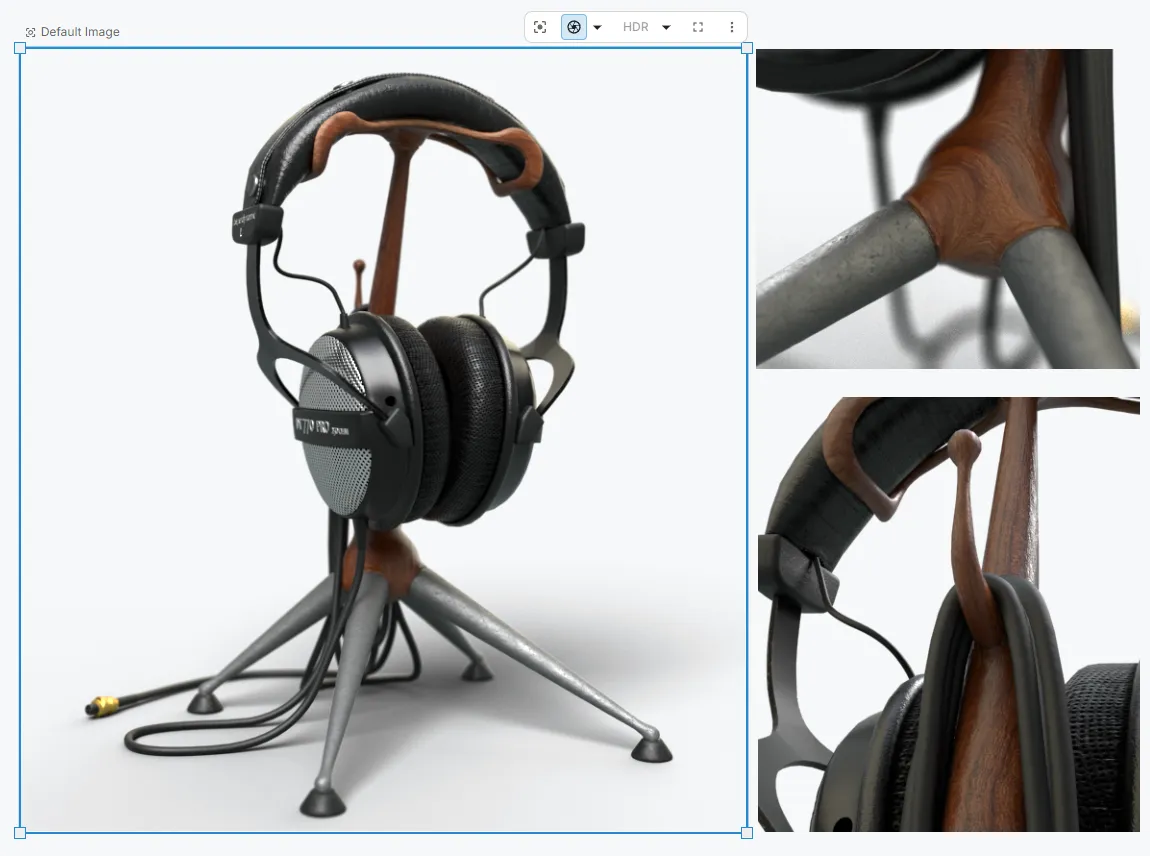
Accurate product visuals are a superpower for any team. When an entire company can view, explore, and trust a photorealistic 3D product, it unlocks a whole new level of alignment. You stop waiting on physical prototypes and start making confident decisions together.
For too long, that power has been trapped inside specialized software. Specialists are often burdened with endless export requests, while the rest of the team is stuck waiting for static screenshots just to see a simple color change. We built Figurement to bridge that gap.
We took the heavy features you rely on in legacy desktop tools and completely rebuilt them for the web. By moving a production-grade rendering engine into the browser, we have turned 3D visuals into a shared language. We are empowering specialists to share their work in a live environment where the entire organization, from designers and CMF to sales and product management, can explore and iterate together in real time. Uncompromising image quality is no longer locked behind a specialist’s workstation. No installs. Just a link.
A smarter way to manage views and variations
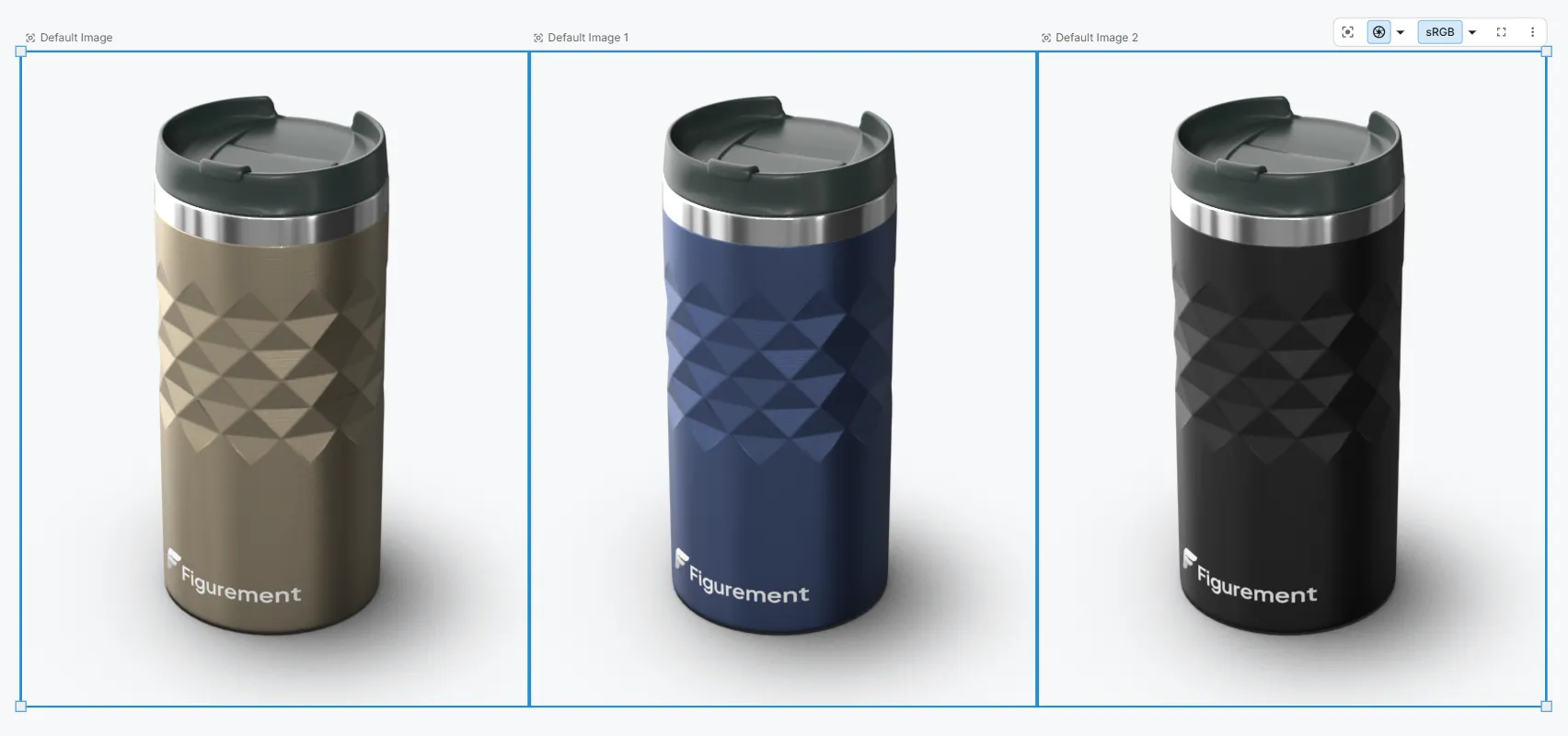
Managing endless design options, camera angles, and lighting setups in traditional software is a massive headache that usually falls on one person. We fixed this by introducing an infinite canvas layout to hold all your renders and product variations in one place.
You can place multiple live, high-fidelity renders into shared workspaces to organize and compare entire product lineups or material explorations at a glance. It completely changes how you handle massive sets of images. The best part is that if a team member clicks a part and changes a color, everything stays perfectly in sync across every single view on the canvas.
Accurate raytracing meets creative AI
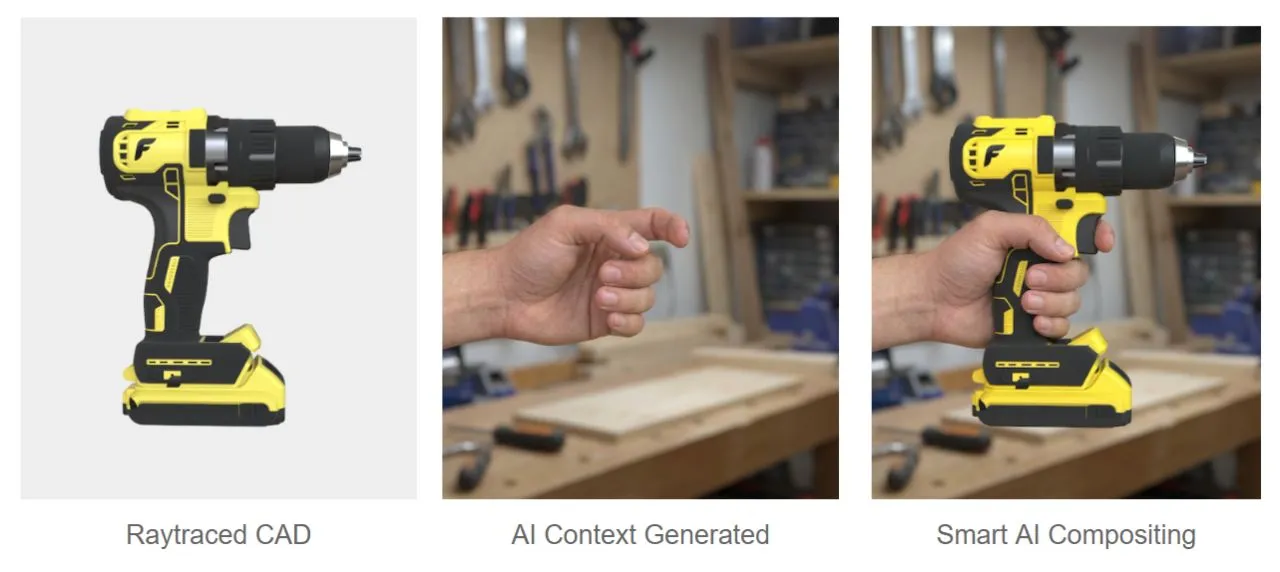
AI image generators have a bad habit of dreaming up incorrect features on products. Product visuals require strict control. We use physical simulation for the appearance to maintain strict control and AI image generation for the context where a bit of chaos is welcome.
Modern product visualization needs two things:
- Accurate raytracing: Colors, materials, and lighting must be truly trusted by the technical team.
- Flexible AI editing: The creative team must be able to explore environments when creativity matters most.
In Figurement, the product itself is fully raytraced to photorealistic perfection. Elements like props, backgrounds, or lifestyle context are then added seamlessly using AI. Getting the perfect context takes iteration. That is why we built in prompt history and the ability to re-run and tweak your AI inputs on the fly. You never have to start from scratch.
Rec. 2020 and treating color with respect
We are moving far beyond the limits of the standard sRGB and hex-based workflows found in legacy tools. Color deserves to be treated with science and respect.
- Rec. 2020 Compliant: Our WebGPU renderer is now fully Rec. 2020 compliant. This ultra-wide color gamut is the foundation of our true color accuracy. Combined with our HDR rendering capabilities, viewing it on a quality monitor is like opening a window on a bright sunny day.
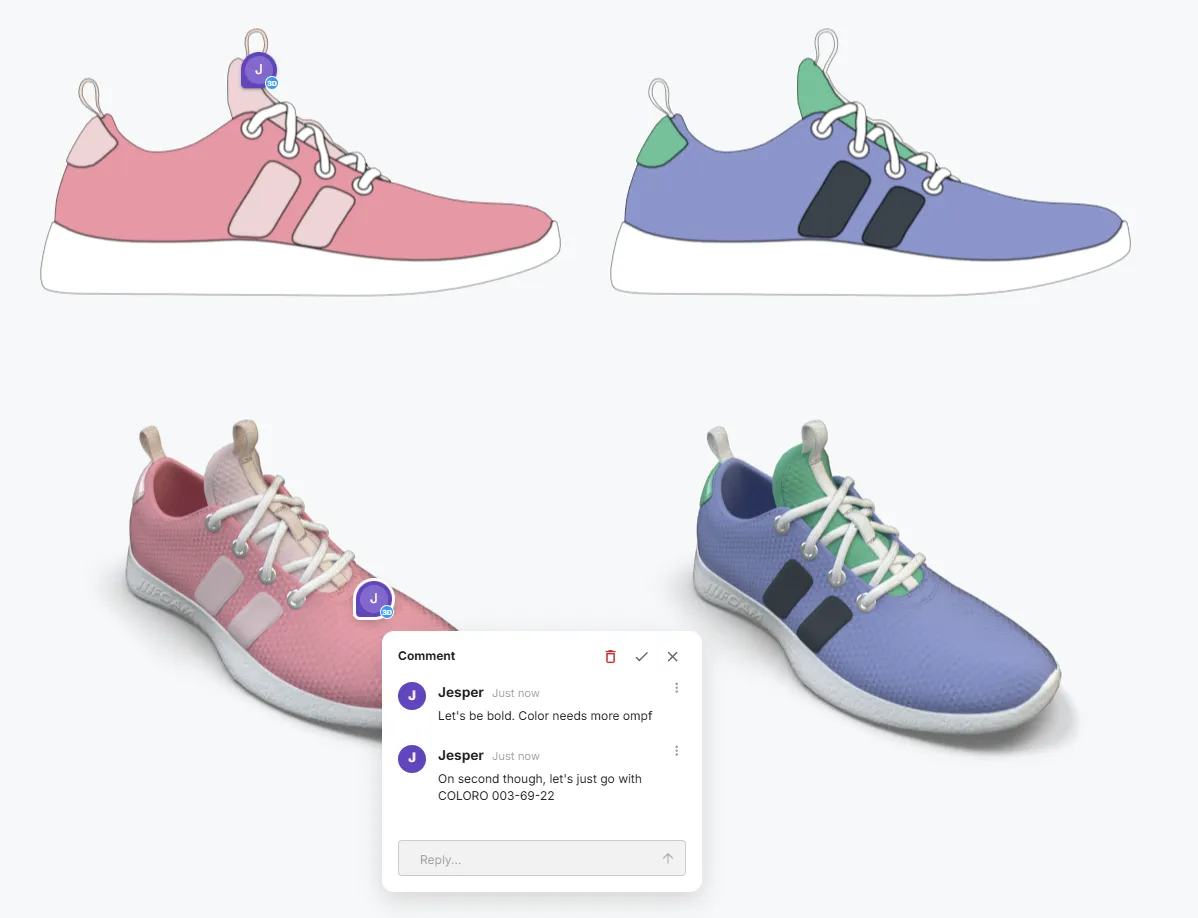
- Coloro integration: We partnered with Coloro to integrate their actual system. We brought in their specific layout and interaction model so designers can finally work intentionally across hue, saturation, and lightness using trustworthy real-world data.
Cloud rendering and AI denoising
A major bottleneck of legacy desktop rendering is how it hijacks the specialist’s machine. You hit render and suddenly you cannot even check your email without your fans screaming.
Figurement fixes this. You can now send heavy render jobs directly to our cloud servers for fast processing. Combined with our new AI Denoising, your images resolve to final production quality incredibly fast. This leaves your local hardware completely free so the specialist can keep working on the next refinement while the renders process in the background.
Stop sending screenshots: True 3D collaboration
Collaboration should not mean taking screenshots, drawing red circles on them, and losing track of feedback in long email threads.
We built a robust note and commenting system directly into the platform. You can drop pins, assign comments, and discuss items with your team directly on the 3D elements themselves or anywhere on the canvas. Add in real-time multi-cursor support, and you finally have a shared visual workspace that actually works.
Everything you need for high-end rendering
We completely overhauled our asset pipelines so you can hit maximum visual fidelity without the usual friction.
- Ready-to-use libraries: We have built a massive and constantly growing library of materials, colors, environments, and textures. You do not have to hunt down assets to get started because everything you need to build stunning scenes is right there out of the box.
- Unmatched imports: We now support 60+ import formats including SolidWorks, Creo, and Rhino. We also natively import U3M and AXF for high-end material scans.
- Labels and material layers made easy: Legacy tools often make applying a simple logo or stacking materials feel like a complex math problem. We eliminated the hassle. Just drag and drop decals directly onto your 3D parts, stack material layers intuitively, and use quick modifier keys to apply new materials without losing your underlying colors.
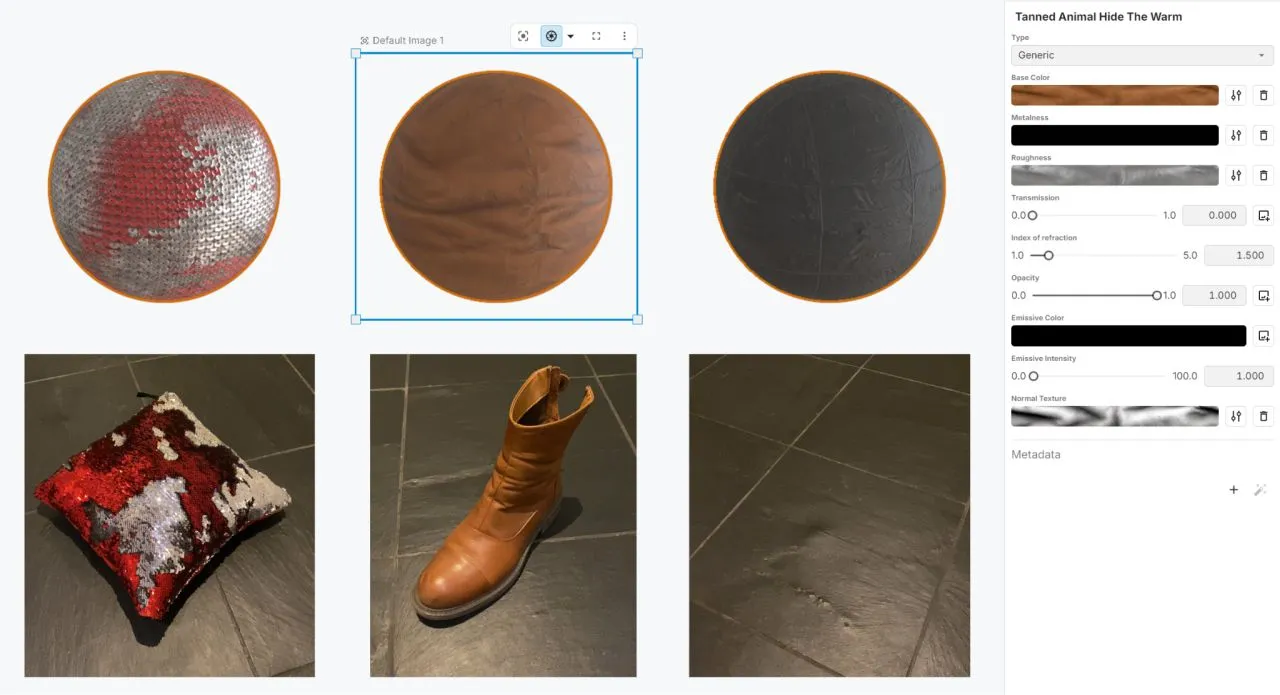
- AI Material & Texture generation: Snap a photo on your phone and Figurement computes a highly accurate photorealistic material. Need something that does not exist yet? Use our text-to-texture AI generation to instantly create custom tileable textures right in the browser.
- Environment builder: Easily set up precise studio-quality lighting environments with our intuitive new pin-light system.
- Actionable deliverables: Automatically generate a Bill of Materials (BOM) directly on your canvas and export your pages to PDF or your data to CSV for manufacturing.
Ready for teams of all sizes
Whether you are a solo designer or running a global enterprise, we added the operational foundation you need to work securely and confidently.
- Single Sign-On (SSO): Full Google and Microsoft SSO support for frictionless and secure access.
- API and Integrations: We know product visualization is just one piece of your broader pipeline. With robust API support and experience integrating directly with PLM and DAM systems, Figurement is built to plug seamlessly into your existing source of truth.
- Version History: Easily revert to older versions of a file so you never lose a good idea.
- Organizations: Dedicated administrative accounts to keep larger teams and their data perfectly aligned.
Our Philosophy
At our core, we are graphics nerds building Figurement because we are endlessly inspired by what you create. We are in awe of beautifully designed products and the stunning visuals that bring them to life. To build the ultimate platform, we need the community. We rely on your feedback, your edge cases, and your daily workflows to help us craft exactly what you need. Let’s talk!
If you are an existing user, jump into your workspace to try the new canvas layout, Cloud Rendering, and AI tools today.